This trick saves you Claude tokens
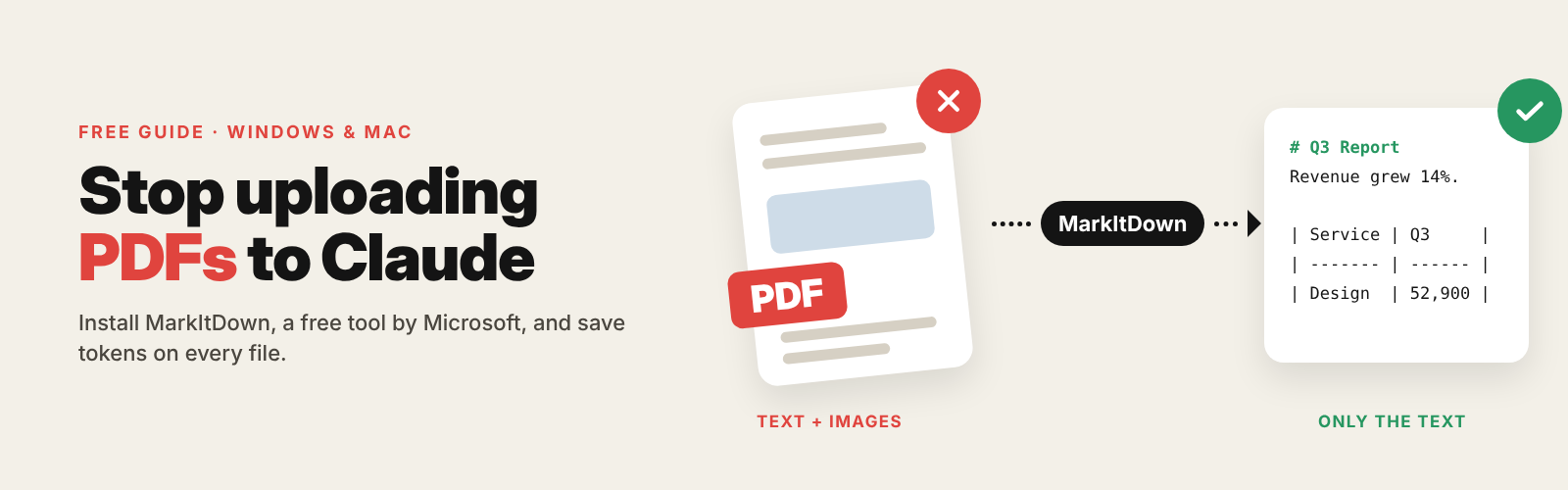
When you upload a PDF, Claude reads the text and a picture of every page, so you pay tokens for both. MarkItDown, a free tool from Microsoft, gives Claude just the text and tables.
UPLOADING A PDF
Text + an image of every page
WITH MARKITDOWN
Only the text and tables
What you need
- The Claude desktop app for Windows or Mac (the browser version won't work)
- About 5 minutes
- No coding, and no need to install Python yourself
Free, in my newsletter The AI Path.
Install uv with one line
uv is a small free tool that downloads and runs MarkItDown for you. Copy the line for your computer and press Enter.
Windows · Start menu → type PowerShell → open it
powershell -ExecutionPolicy ByPass -c "irm https://astral.sh/uv/install.ps1 | iex"Mac · Cmd + Space → type Terminal → open it
curl -LsSf https://astral.sh/uv/install.sh | shWhen it finishes, close the window and open it again.
Open Claude's config file
In the Claude desktop app, click through:
Settings → Developer → Edit Config
This opens claude_desktop_config.json. If a folder opens instead, open that file with Notepad (Windows) or TextEdit (Mac).
Paste this at the top and save
Don't delete anything. Paste this block right after the very first { in the file:
"mcpServers": {
    "markitdown": {
      "command": "uvx",
      "args": ["markitdown-mcp"]
    }
  }
File completely empty? Wrap the block in { } and remove the last comma.
Already have "mcpServers"? Only add the "markitdown": { ... } part inside it.
Save with Ctrl + S (Windows) or Cmd + S (Mac).
Quit Claude completely and reopen it
- Windows: right-click the Claude icon by the clock → Quit
- Mac: press Cmd + Q
Then open Settings → Developer. If you see markitdown with a green running label, you're done.
THE IMPORTANT PART
Don't upload. Type where the file is.
If you drag the PDF into the chat, Claude reads it the old way and you save nothing. Instead, give Claude the file's location:
Convert C:\Users\YourName\Downloads\report.pdf to Markdown and summarise it in 5 bullet points.
Copy a file's path in one click:
Windows: hold Shift, right-click the file → Copy as path
Mac: right-click the file, hold Option → Copy as Pathname
Not just PDFs
MarkItDown also reads:
| Word (.docx) | Text, headings, lists, tables |
| Excel (.xlsx) | Every sheet as a table |
| PowerPoint (.pptx) | The text of every slide |
| YouTube links | The video's transcript |
| Web pages | Clean text without menus |
| CSV, JSON, EPUB, ZIP | Tidy text and tables |
Upload normally when you need visuals. MarkItDown keeps text and tables but drops charts and pictures. For charts, diagrams, scans or handwriting, upload the file as usual.
If something goes wrong
markitdown doesn't show up
Quit Claude completely (tray icon → Quit, or Cmd + Q) and open it again.
"Server disconnected" or "spawn uvx ENOENT"
Run where uvx (Windows) or which uvx (Mac), and put the full path it shows in place of "uvx". On Windows, write each \ twice.
Claude shows a config error
A comma or bracket is missing. Paste the file into jsonlint.com to find it.
"File not found"
Use the full path, not just the file name.
Good to know
MarkItDown is free and open source, made by Microsoft: github.com/microsoft/markitdown
It runs on your computer with your permissions, so only convert files and links you trust.
To remove it, delete the "markitdown" block from the config file and restart Claude.